Introduction
Design systems have become the backbone of modern product development. They provide a shared language between designers and developers, ensuring consistency across products and teams. A well-built design system reduces development time by 30-50%, improves accessibility, and creates a cohesive user experience across all touchpoints.
The key benefits of a design system include consistency across all products and platforms, faster development through reusable components, better collaboration between design and engineering teams, improved accessibility compliance, and easier onboarding for new team members. Companies like Airbnb, Shopify, and Salesforce have invested heavily in design systems because they understand the compounding returns on this investment.
A design system is more than a component library. It encompasses design tokens, component patterns, documentation, usage guidelines, governance processes, and the tools that support the entire workflow. The most successful design systems treat documentation and governance with the same rigor as the code itself.
Why Design Systems Matter

Design systems have become the backbone of modern product development. They provide a shared language between designers and developers, ensuring consistency across products and teams. A well-built design system reduces development time by 30-50%, improves accessibility, and creates a cohesive user experience across all touchpoints.
The key benefits of a design system include consistency across all products and platforms, faster development through reusable components, better collaboration between design and engineering teams, improved accessibility compliance, and easier onboarding for new team members. Companies like Airbnb, Shopify, and Salesforce have invested heavily in design systems because they understand the compounding returns on this investment.
A design system is more than a component library. It encompasses design tokens, component patterns, documentation, usage guidelines, governance processes, and the tools that support the entire workflow. The most successful design systems treat documentation and governance with the same rigor as the code itself.
Defining Design Tokens
Design tokens are the foundation of any design system. They represent the smallest design decisions: colors, typography, spacing, shadows, border radii, and animation timings. Instead of hardcoding values like #3B82F6 or 16px throughout your codebase, you reference semantic tokens like color-primary or spacing-md.
There are three levels of design tokens. Primitive tokens are raw values like color-blue-500: #3B82F6. Semantic tokens give meaning: color-action-primary: {color-blue-500}. Component tokens scope to specific components: button-background-primary: {color-action-primary}. This layered approach makes theme switching trivial and ensures design decisions are centralized.
{
  "color": {
    "primitive": {
      "blue-500": "#3B82F6",
      "gray-100": "#F3F4F6"
    },
    "semantic": {
      "action-primary": "{color.primitive.blue-500}",
      "surface-background": "{color.primitive.gray-100}"
    }
  },
  "spacing": {
    "xs": "4px",
    "sm": "8px",
    "md": "16px",
    "lg": "24px",
    "xl": "32px"
  }
}
Tools like Style Dictionary transform tokens into platform-specific formats: CSS custom properties, iOS Swift constants, Android XML resources, and Tailwind config objects. This single-source-of-truth approach means a designer changes a token once and it propagates everywhere.
Component Architecture
The component architecture defines how your design system's building blocks are structured. Each component should follow the single responsibility principle: one component, one job. A Button component handles click interactions and visual states. A TextInput handles text entry with validation. Compose these atomic pieces into molecules and organisms following atomic design methodology.
Component APIs should be predictable and consistent. If one component uses a size prop with values small, medium, large, every component should follow the same pattern. Consistency in APIs reduces cognitive load for consumers of your design system.
interface ButtonProps {
  variant: 'primary' | 'secondary' | 'ghost' | 'danger';
  size: 'sm' | 'md' | 'lg';
  disabled?: boolean;
  loading?: boolean;
  leftIcon?: React.ReactNode;
  rightIcon?: React.ReactNode;
  children: React.ReactNode;
  onClick?: () => void;
}

export const Button: React.FC<ButtonProps> = ({
  variant = 'primary',
  size = 'md',
  disabled,
  loading,
  leftIcon,
  rightIcon,
  children,
  ...props
}) => {
  return (
    <button
      className={clsx(
        'btn',
        `btn-${variant}`,
        `btn-${size}`,
        loading && 'btn-loading'
      )}
      disabled={disabled || loading}
      {...props}
    >
      {loading && <Spinner size={size} />}
      {!loading && leftIcon}
      <span>{children}</span>
      {rightIcon}
    </button>
  );
};
Composition patterns let complex components build from simple ones. A SearchInput composes TextInput with an Icon and a clear Button. A Modal composes an Overlay, a Card, and action Buttons. Document these composition patterns so consumers understand how to combine components correctly.
Theming and Customization
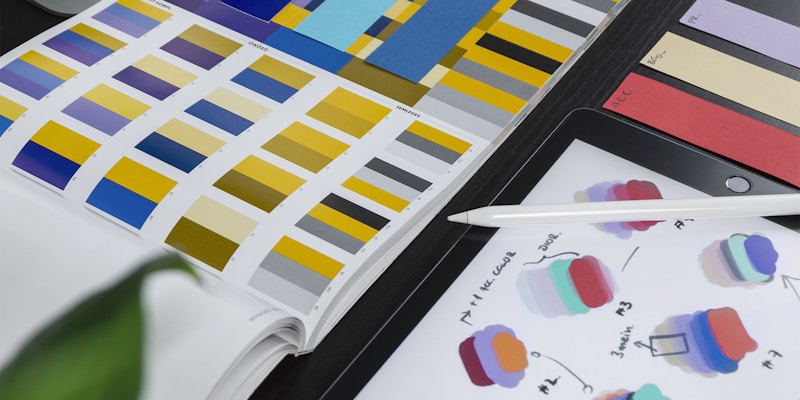
Theming allows your design system to adapt to different brands, products, or user preferences without changing component code. The most effective theming approach uses CSS custom properties that map to design tokens, enabling runtime theme switching without JavaScript overhead.
A robust theming system supports light and dark modes, brand variations for white-label products, high-contrast accessibility themes, and user-customizable preferences. The key is separating what changes (colors, typography, spacing scales) from what stays consistent (component structure, behavior, interaction patterns).
:root {
  --color-background: #FFFFFF;
  --color-foreground: #111827;
  --color-primary: #3B82F6;
  --color-surface: #F9FAFB;
  --shadow-card: 0 1px 3px rgba(0, 0, 0, 0.1);
}

[data-theme="dark"] {
  --color-background: #111827;
  --color-foreground: #F9FAFB;
  --color-primary: #60A5FA;
  --color-surface: #1F2937;
  --shadow-card: 0 1px 3px rgba(0, 0, 0, 0.3);
}

[data-theme="brand-acme"] {
  --color-primary: #FF6B35;
  --color-surface: #FFF8F0;
}
Runtime theme switching uses a data attribute on the root element. Users select their preference, you set the attribute, and CSS custom properties cascade the change through every component instantly. Store the preference in localStorage for persistence across sessions.
Documentation and Storybook
Documentation is what separates a component library from a true design system. Without clear documentation, developers won't know what components exist, when to use them, or how to combine them correctly. Storybook has become the industry standard for component documentation and visual testing.
Every component needs several types of documentation. A usage guide explains when and why to use the component. Props documentation lists every prop with types, defaults, and descriptions. Accessibility notes describe keyboard navigation, screen reader behavior, and ARIA requirements. Examples show common use cases and compositions. Do-and-don't guidelines prevent misuse.
// Button.stories.tsx
export default {
  title: 'Components/Button',
  component: Button,
  argTypes: {
    variant: {
      control: { type: 'select' },
      options: ['primary', 'secondary', 'ghost', 'danger'],
    },
    size: {
      control: { type: 'select' },
      options: ['sm', 'md', 'lg'],
    },
  },
};

export const Primary = {
  args: {
    variant: 'primary',
    children: 'Click me',
  },
};

export const Loading = {
  args: {
    variant: 'primary',
    loading: true,
    children: 'Saving...',
  },
};
Automate documentation generation from TypeScript interfaces using tools like react-docgen. Integrate accessibility checks with Storybook's a11y addon. Use Chromatic or Percy for visual regression testing to catch unintended visual changes before they reach production.
Governance and Contribution Models
A design system without governance becomes outdated and fragmented within months. Governance defines how decisions are made, how components get added or modified, and how the system evolves with product needs. The most successful design systems use a federated contribution model with a central team providing direction.
The central design system team owns the core: tokens, primitive components, documentation infrastructure, and release processes. Feature teams contribute domain-specific components through a well-defined process. This model scales better than a single team trying to build everything because feature teams understand their domain needs best.
A typical contribution workflow starts with a proposal: the contributor describes the need, sketches the API, and gets alignment on scope. Then they build, following established patterns and testing requirements. A review ensures quality, accessibility, and API consistency. Finally, the component gets published with documentation and added to the system's changelog.
Version management follows semantic versioning strictly. Breaking changes get a major version bump with migration guides. New features get minor versions. Bug fixes get patches. A deprecation policy gives consumers time to migrate, typically two minor versions before removal. This predictability builds trust and encourages adoption across the organization.
Testing Design System Components
Design systems require more rigorous testing than typical application code because bugs affect every consumer. Unit tests verify component behavior: rendering with different props, handling user interactions, and managing state changes. Accessibility tests ensure WCAG compliance using axe-core or jest-axe. Visual regression tests catch unintended visual changes.
import { render, screen, fireEvent } from '@testing-library/react';
import { axe, toHaveNoViolations } from 'jest-axe';
import { Button } from './Button';

expect.extend(toHaveNoViolations);

describe('Button', () => {
  it('renders with correct text', () => {
    render(<Button>Click me</Button>);
    expect(screen.getByRole('button')).toHaveTextContent('Click me');
  });

  it('calls onClick when clicked', () => {
    const onClick = vi.fn();
    render(<Button onClick={onClick}>Click me</Button>);
    fireEvent.click(screen.getByRole('button'));
    expect(onClick).toHaveBeenCalledOnce();
  });

  it('is disabled when disabled prop is true', () => {
    render(<Button disabled>Click me</Button>);
    expect(screen.getByRole('button')).toBeDisabled();
  });

  it('has no accessibility violations', async () => {
    const { container } = render(<Button>Accessible</Button>);
    expect(await axe(container)).toHaveNoViolations();
  });
});
Cross-browser testing ensures components render correctly in all supported browsers. Use BrowserStack or Playwright to test across Chrome, Firefox, Safari, and Edge. Mobile testing verifies touch interactions, responsive layouts, and performance on lower-powered devices.
Scaling Your Design System
As your organization grows, your design system must scale accordingly. This means supporting multiple frameworks, platforms, and consumption patterns. A monorepo structure with Turborepo or Nx keeps all packages in sync while enabling independent development and testing.
Multi-framework support can be achieved through web components as the base layer, with framework-specific wrappers for React, Vue, Angular, and Svelte. Tools like Stencil or Lit compile to standards-based web components that work everywhere. Framework wrappers add framework-specific ergonomics like React hooks or Vue composables.
Performance optimization becomes critical at scale. Bundle analysis ensures consumers only ship what they use through tree-shaking. Lazy loading defers non-critical component initialization. CSS-in-JS solutions like vanilla-extract or CSS modules generate minimal runtime CSS. Server-side rendering compatibility ensures components work in SSR and static generation contexts.
Metrics track design system health and adoption. Component usage analytics show which components are most popular and which are underutilized. Contribution metrics reveal whether federated contribution is working. Developer satisfaction surveys measure the system's impact on productivity. Bug reports and issue resolution times indicate quality trends. These metrics justify continued investment and guide roadmap prioritization.
Conclusion
The topics covered in this article represent important developments in modern software engineering. By understanding these concepts deeply and applying them in your projects, you can build more robust, scalable, and maintainable systems. Continue exploring, experimenting, and building — the technology landscape rewards those who stay curious and keep learning.